Generating Reports
Generate reports from any log file, edit them as your investigation evolves, save AI insights and personal notes, and export everything as a professional PDF—all from one dedicated workspace.
Working with Reports
Reports turn your log investigation into a document you can keep, expand, and share.
Instead of losing important findings inside a chat or scattered across notes, Reports bring everything together in one place. They combine generated statistics with your own observations and AI-assisted analysis.
Creating a Report#
There are two ways to create a report.
From the Copilot#
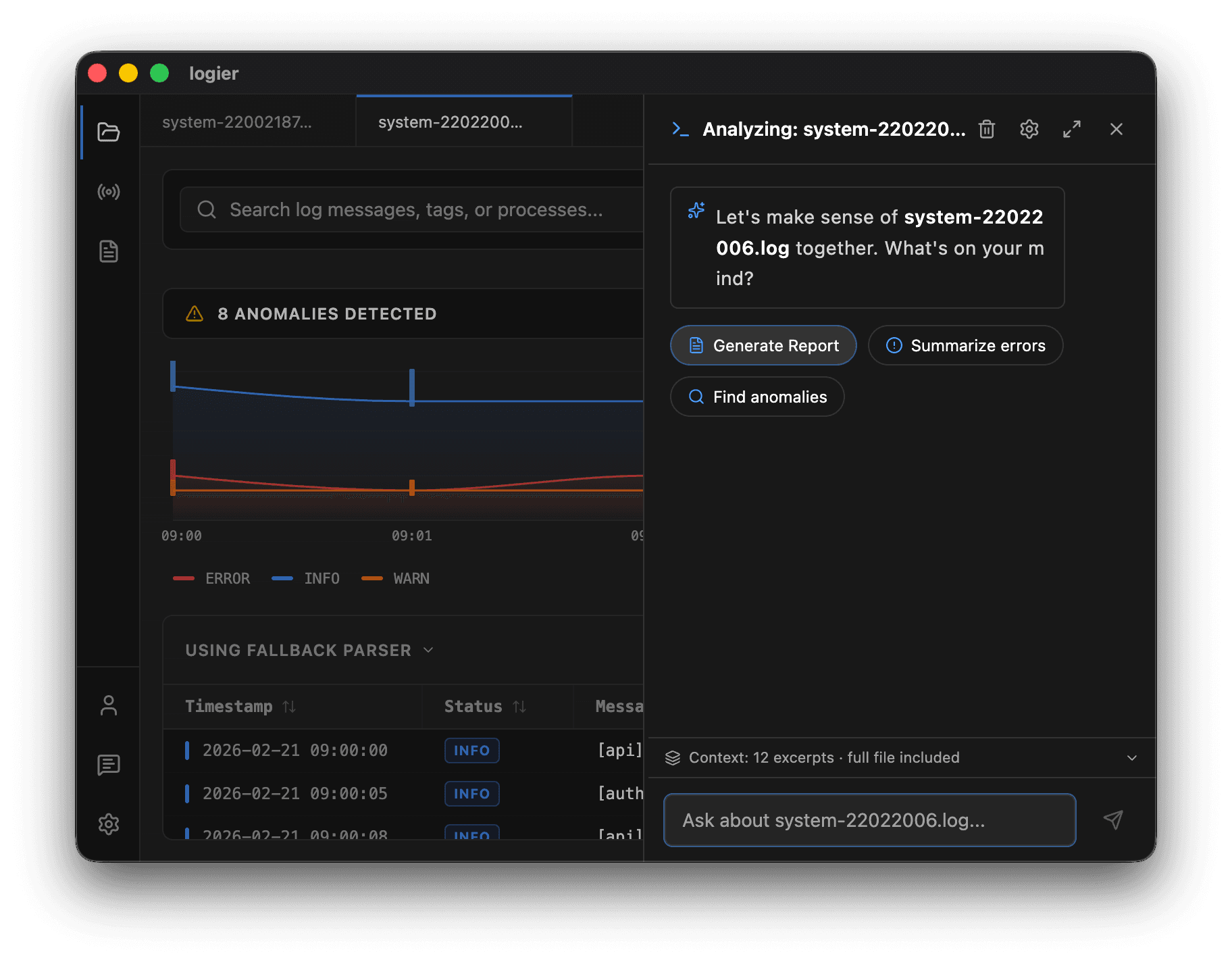
While chatting about a log file, click Generate Report.
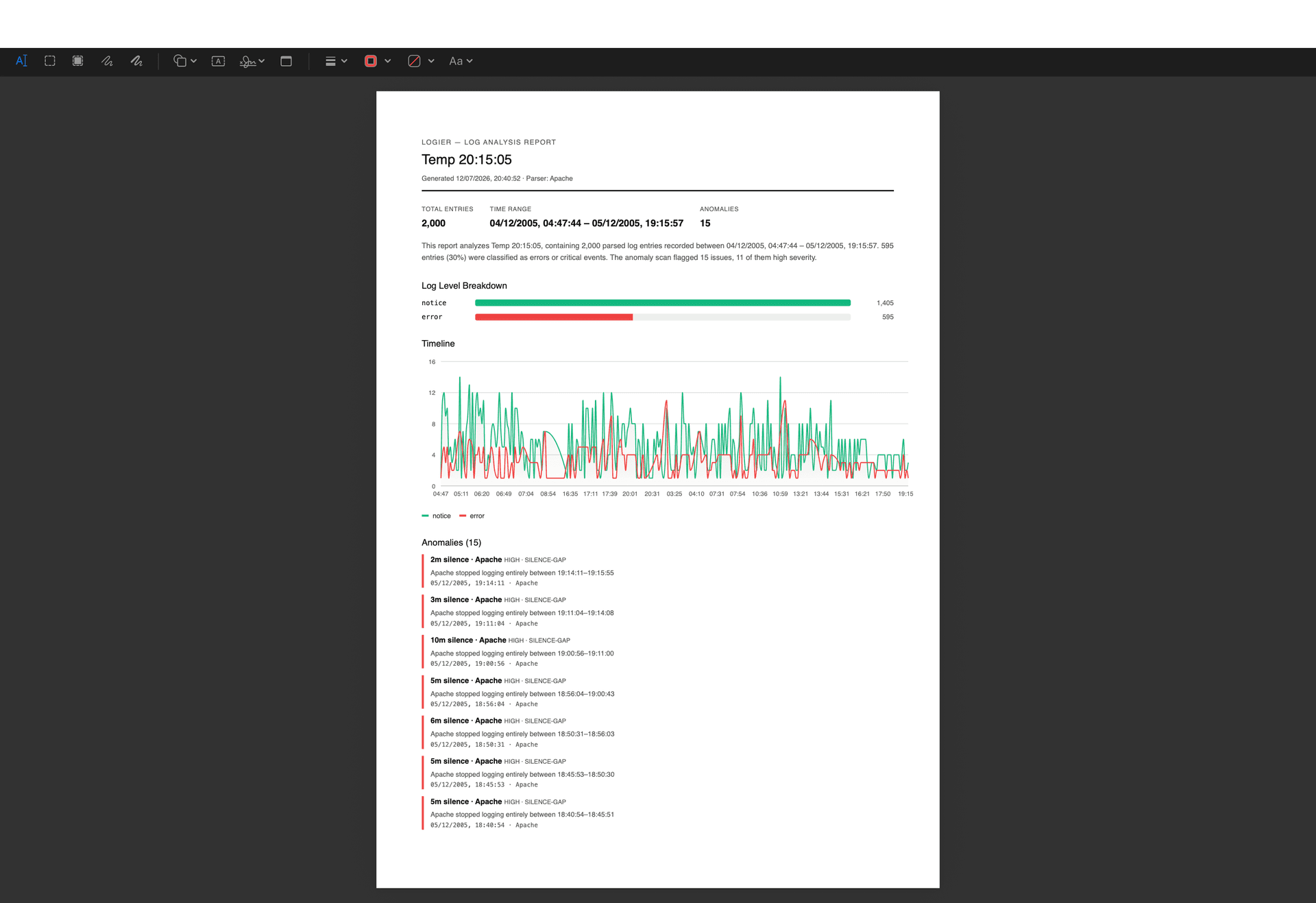
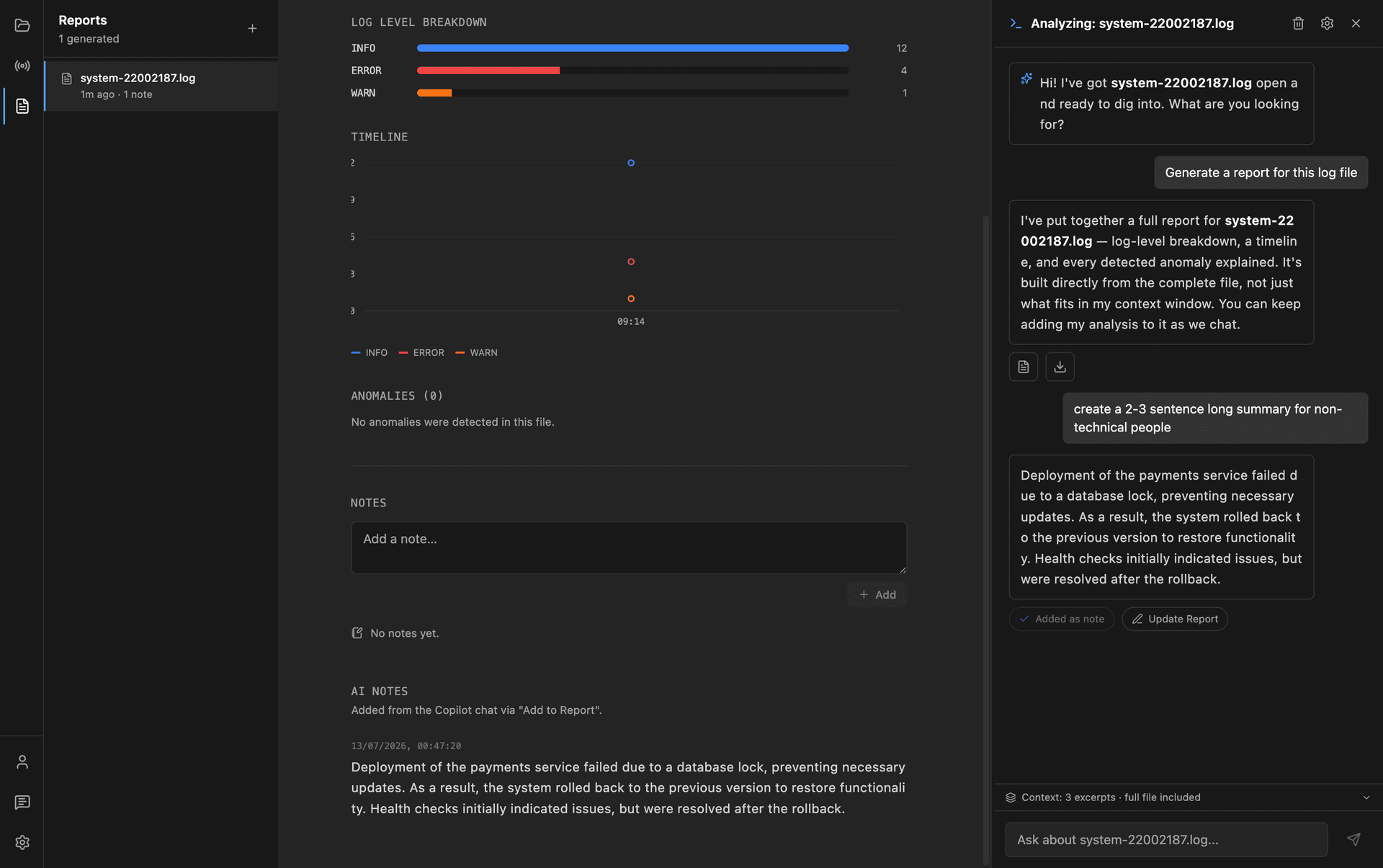
Logier analyzes the complete file and creates a new report containing:
- —A generated report body
- —Log level statistics
- —A timeline
- —Detected anomalies
The report is saved automatically and can be opened from the Reports page at any time.
From the Reports Page#
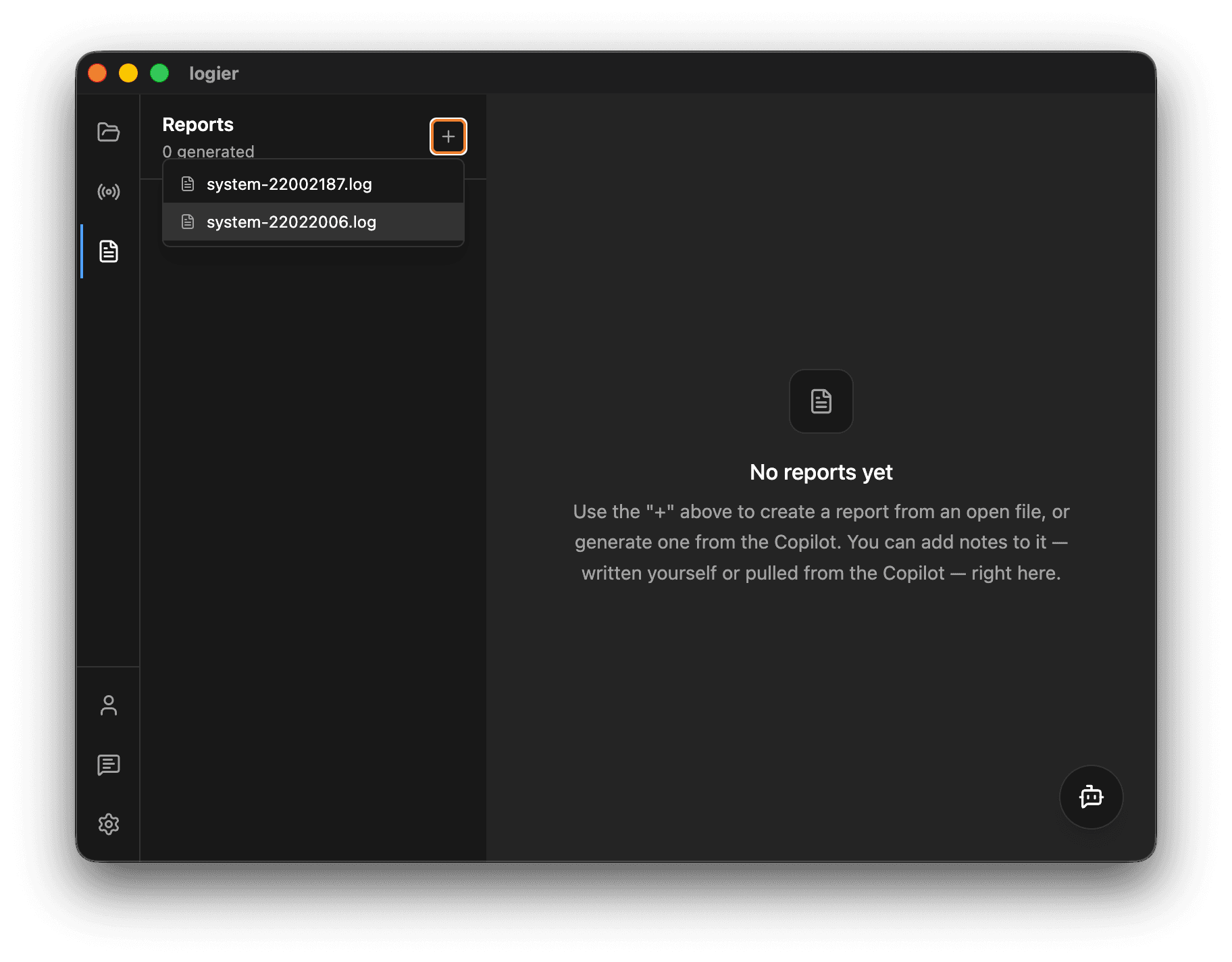
Open the Reports page and click the + button.
Any log file currently open in the editor can immediately be turned into a report without first opening the Copilot.
Editing Reports#
Reports are meant to evolve during an investigation.
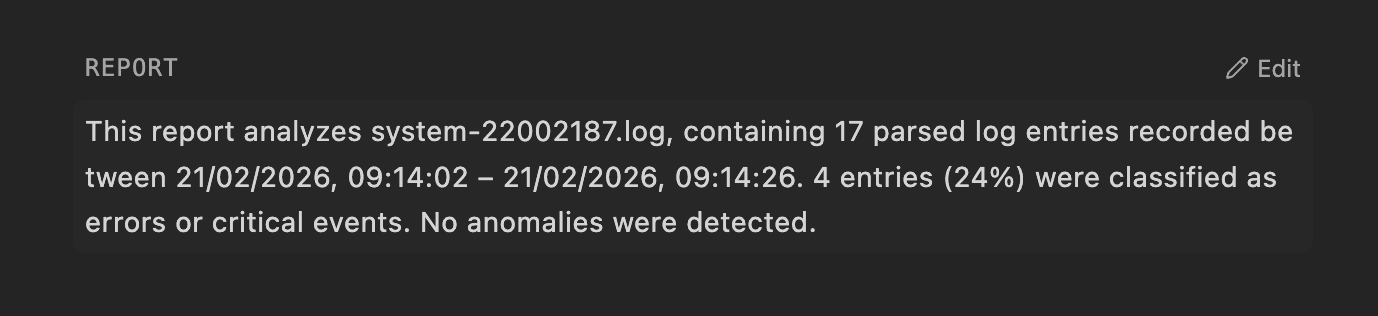
The main report body is fully editable.
Click anywhere inside the report or use the Edit button to update the contents. You can rewrite the generated summary, add conclusions, or replace it entirely with your own findings.
Working with the Copilot#
The Reports page includes the Copilot as a side panel.
Unlike the Editor, the report stays visible while you chat, making it easy to continue your investigation without switching between views.
The Copilot also receives the original log file as context whenever it is still open in the editor, allowing it to answer questions about the logs as well as the report itself.
AI Notes#
Not every useful AI response belongs in the main report.
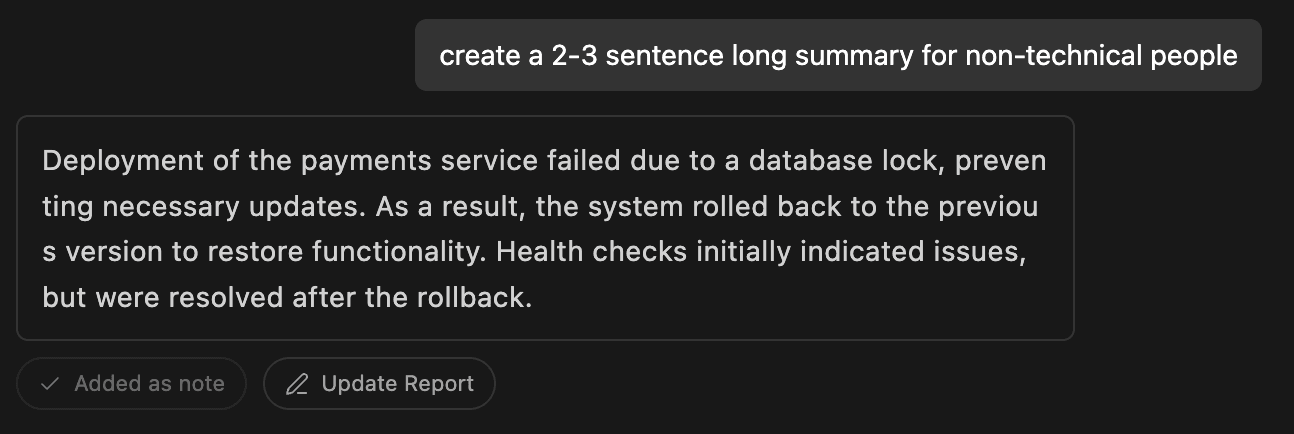
When the Copilot produces an explanation worth keeping, select Add to Report.
The response is stored as an AI Note beneath the report, preserving it without overwriting the report body.
AI Notes can be removed individually at any time.
Personal Notes#
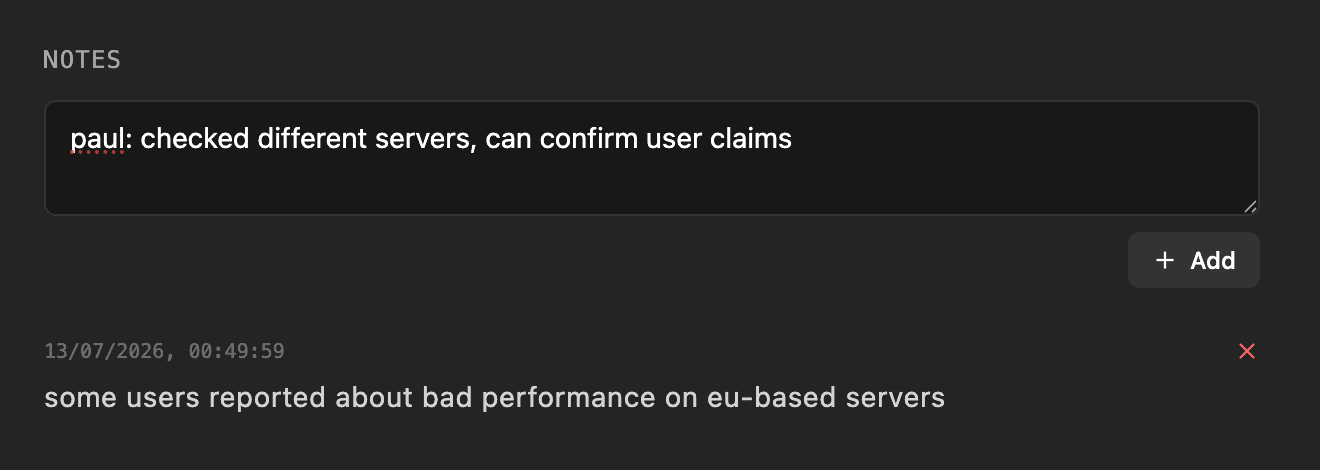
Reports also support handwritten notes.
Use the Notes section to record observations, hypotheses, reminders, or investigation results while working through a log file.
Unlike AI Notes, these are written entirely by you.
Exporting Reports#
Once your investigation is complete, click PDF to export the report.
The exported document includes:
- —The report body
- —Log statistics
- —Timeline
- —Detected anomalies
- —Personal notes
- —AI Notes
This makes it easy to archive investigations or share them with colleagues.
Reports are designed to grow alongside your investigation—from the first generated summary to the final documented conclusion.