License Bulk Purchasing
Buying Logier for your team or company? Learn how bulk purchases work and how to request a custom quote.
Logier makes it easy to purchase multiple licenses for your team. There's no need to contact sales or request a custom quote—everything can be completed directly from the Pricing page in just a few minutes.
Buying licenses#
Visit the Pricing page and choose the Team plan.
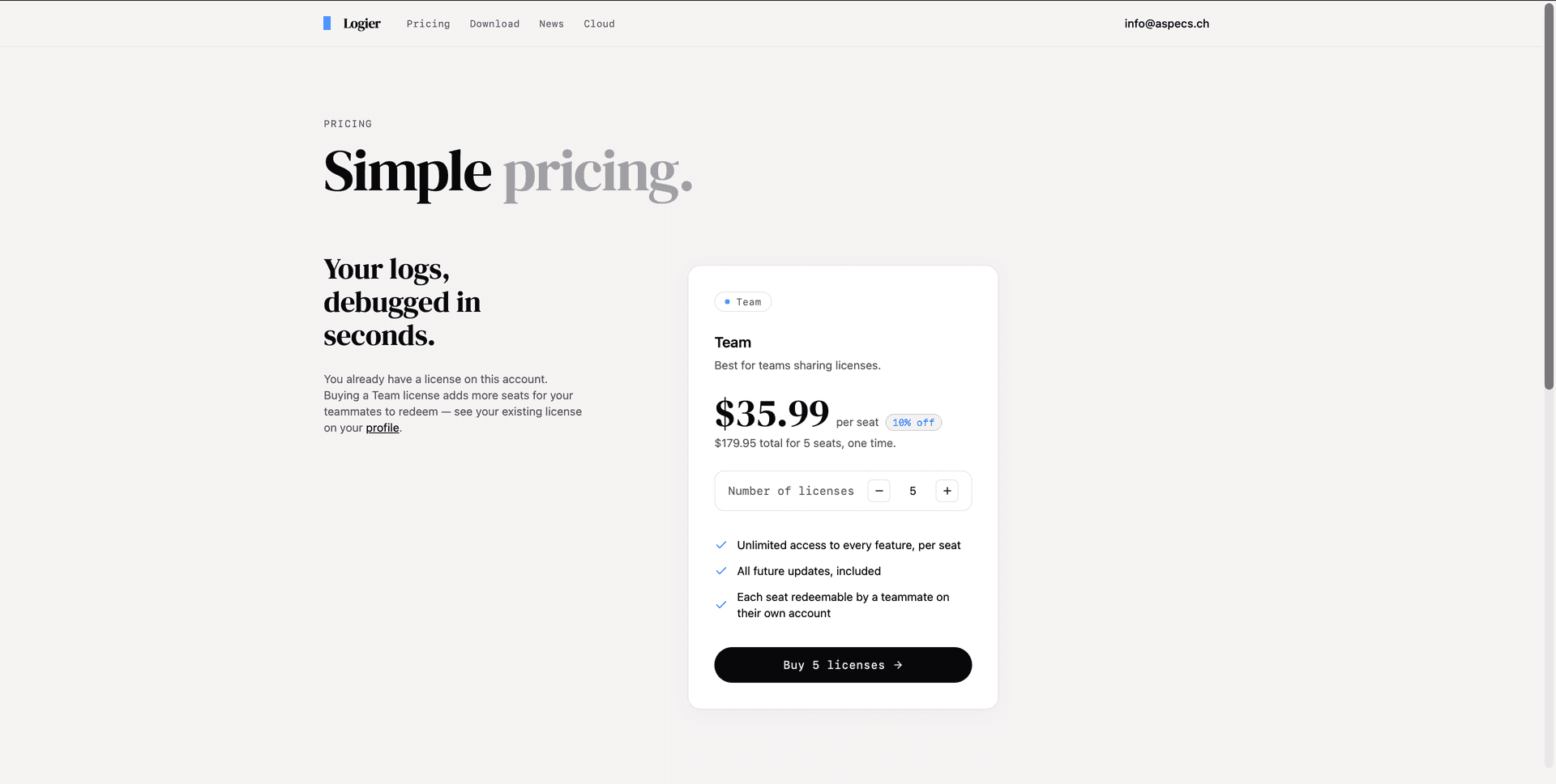
Use the quantity selector to choose how many licenses you need. As you adjust the number of seats, the total price and any applicable volume discount are updated automatically.
Complete the checkout as usual. Once your purchase is complete, all licenses are immediately available in your account.
Volume discounts#
The more licenses you purchase in a single order, the lower the price per seat becomes.
Discounts are applied automatically during checkout—no coupon codes or manual approval required.
Current discount tiers:
- —2–4 licenses: 5% off
- —5–9 licenses: 10% off
- —10–24 licenses: 15% off
- —25 or more licenses: 20% off
Managing your team licenses#
After purchasing multiple licenses, a Team Licenses section appears on your profile page.
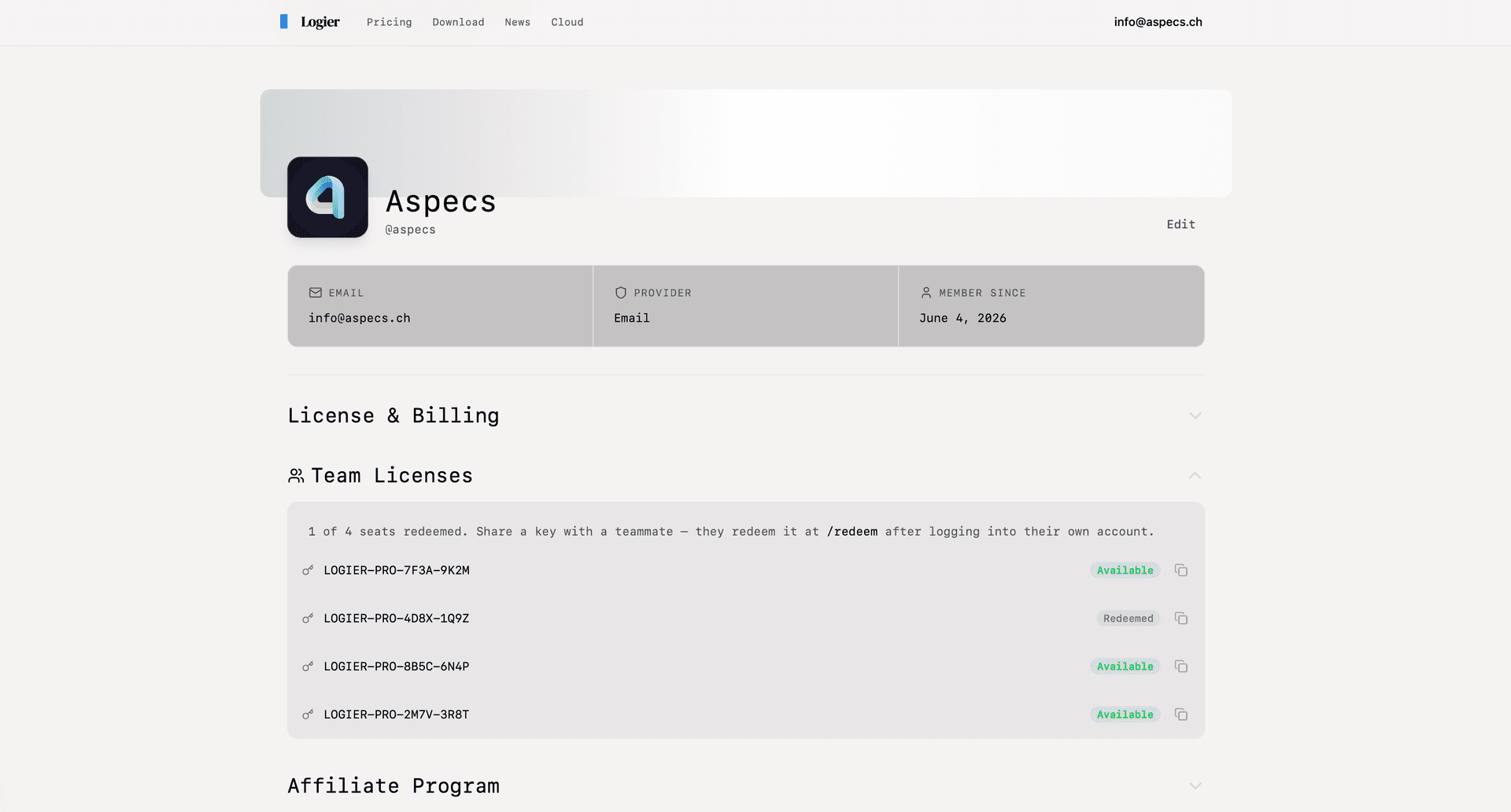
There you'll find every license key included in your purchase, along with its current status:
- —Available – the license hasn't been redeemed yet.
- —Redeemed – the license has already been claimed by a team member.
Each license key can be copied with a single click for easy sharing.
Assigning licenses#
To give a license to a teammate, simply copy one of the available license keys and send it to them.
Each teammate should:
- Create or sign in to their own Logier account.
- Open the Redeem page.
- Enter the license key.
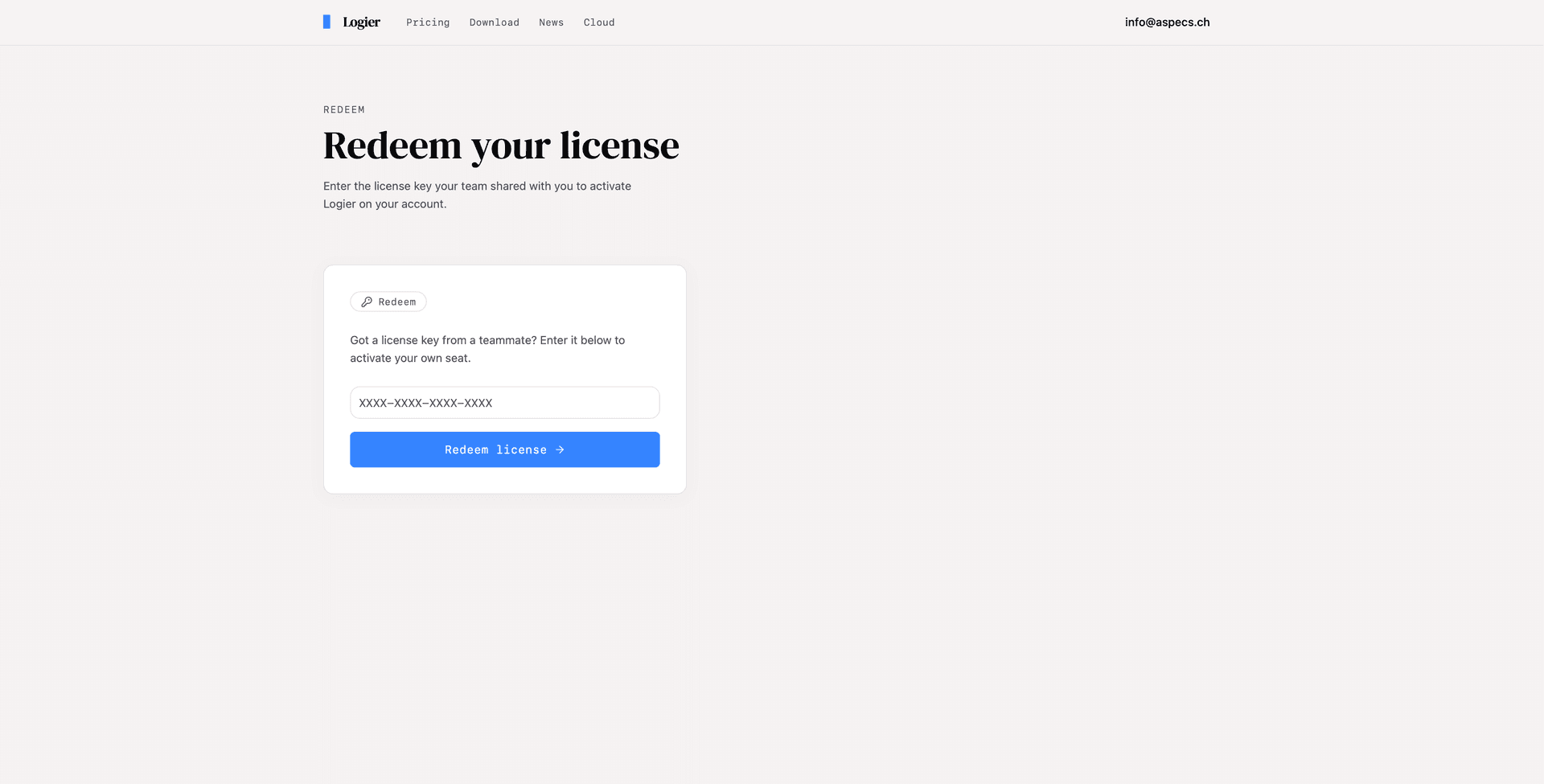
Once redeemed, the license becomes permanently associated with that user's account.
Purchasing additional licenses#
Need more seats later?
Simply return to the Pricing page and purchase another Team license bundle. New license keys will be added to your account automatically, ready to distribute to additional teammates.
No support request or sales contact is required.