Logier is Live
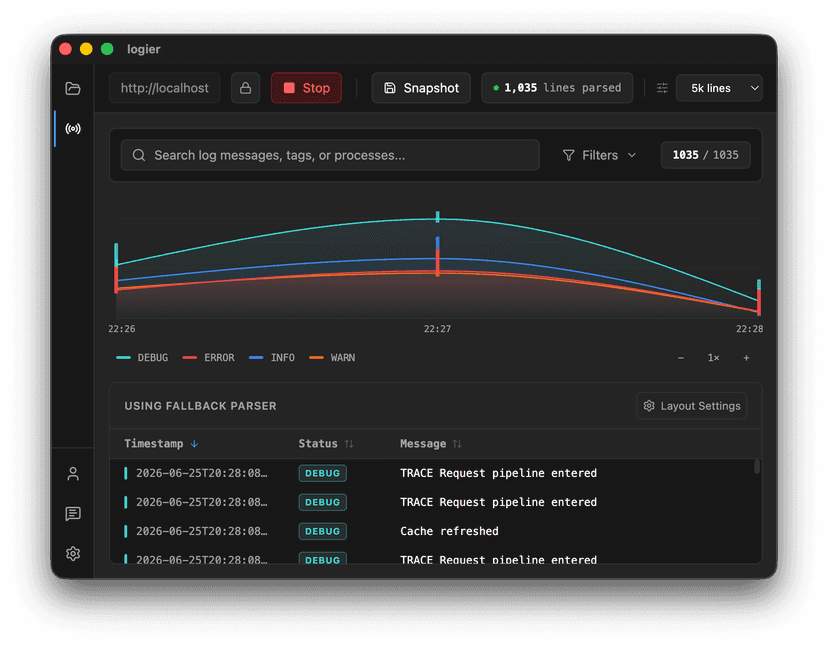
Next to File and Clipboard Logs, you can now also connect to server logs via the Live Logging System. Simply provide an endpoint and watch your logs stream in in real time. When your session is complete, you can save the captured output as a live file and continue investigating it in detail using the standard log viewer.
Log files are not always sitting on disk waiting to be opened.
Sometimes the interesting part happens right now.
With the new Live Logging System, Logier can now connect directly to remote log streams. Alongside File Logs and Clipboard Logs, Server Logs are now a first-class citizen inside the application.
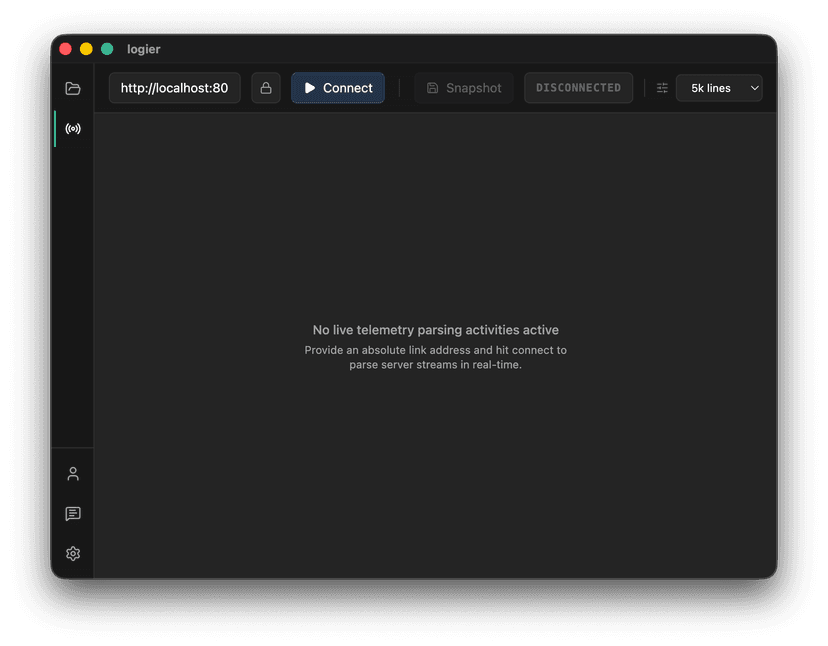
Connect and watch#
Getting started is simple.
Provide a stream endpoint, hit connect, and Logier will start displaying incoming log entries in real time.
Whether the logs come from a local development environment, a containerized application, or a remote server, the workflow stays the same.
Logs arrive as they happen.
Authentication included#
Not every endpoint is publicly accessible.
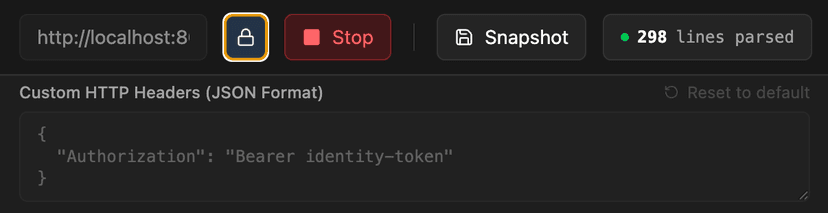
Many log streams require authentication headers, API tokens, or custom metadata.
The Live Logging System supports custom HTTP headers, allowing you to connect to protected endpoints without additional tooling or proxies.
Your connection settings remain configurable and under your control.
From stream to investigation#
Live monitoring is useful, but eventually you need to investigate.
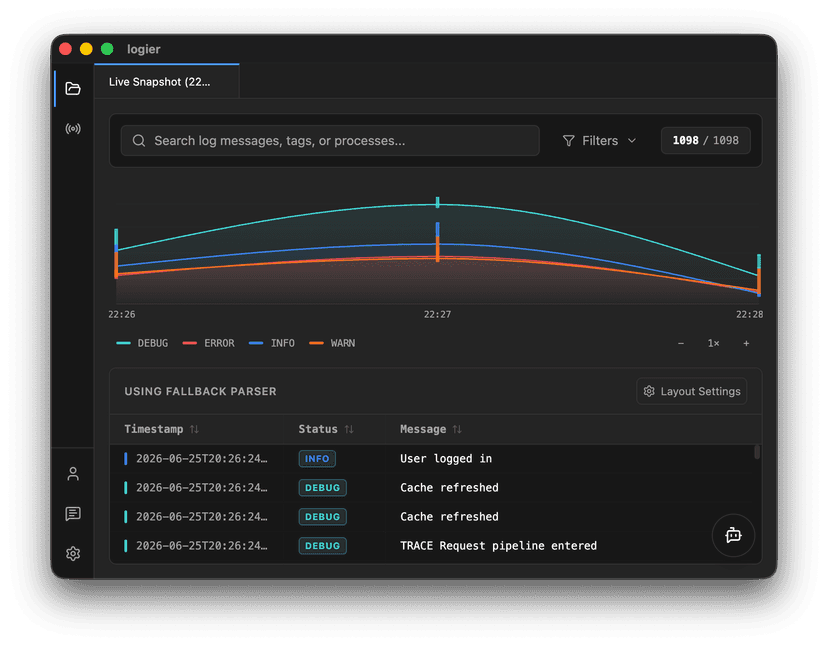
Once a session is finished, you can create a snapshot of the collected logs and save them as a regular log file inside Logier.
From there, all existing analysis features become available.
Search through entries, inspect patterns, filter content, and continue debugging just as you would with any other log source.
Built for debugging#
The goal is not to replace the existing workflow.
It is to remove the step between "something is happening on the server" and "I can start analyzing it."
Instead of copying terminal output into a file, the logs are already where they need to be.
Connect, monitor, snapshot, investigate.