
Version 1.0.0
Logier is ready simplifying your Log debugging.
After a week of surviving on four hours of sleep a day, Logier is finally out in the wild and ready to be installed.
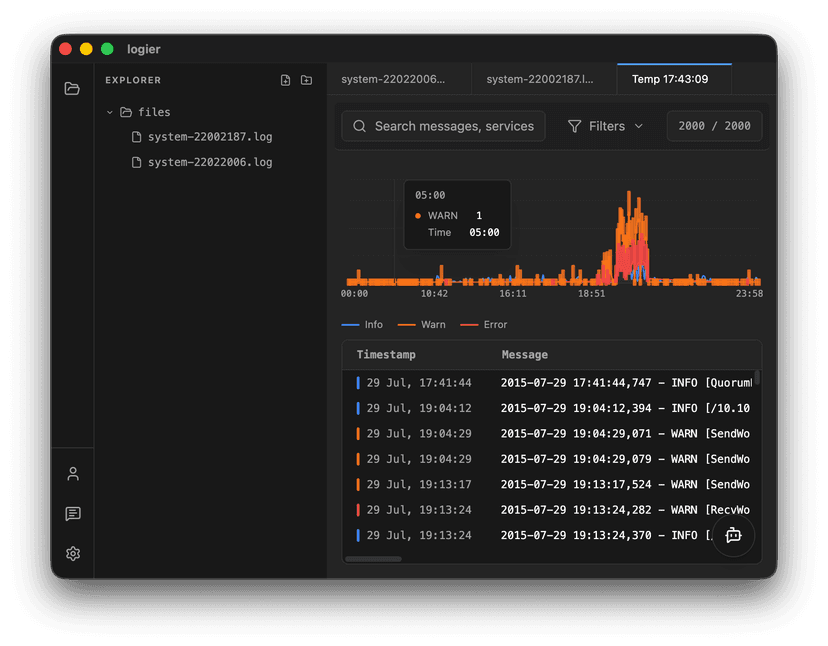
Available now on Windows and macOS, Logier takes your messy log files and turns them into something you can actually understand. Instead of endless text, you get structure, patterns, and real insight into what’s going on.
Why Logier?#
Most debugging sessions still look the same. You open a log file, search for "error", scroll up and down, and try to mentally connect the dots. It works — but it’s slow, and honestly a bit painful when you're under pressure.
Logier changes that flow completely. You drop in a file, and instead of reading logs line by line, you start seeing what matters. Errors get grouped, patterns start to emerge, and weird behavior becomes visible instead of hidden in noise.
It’s built around a simple idea: logs shouldn’t be something you read, they should be something you understand.
What you can do#
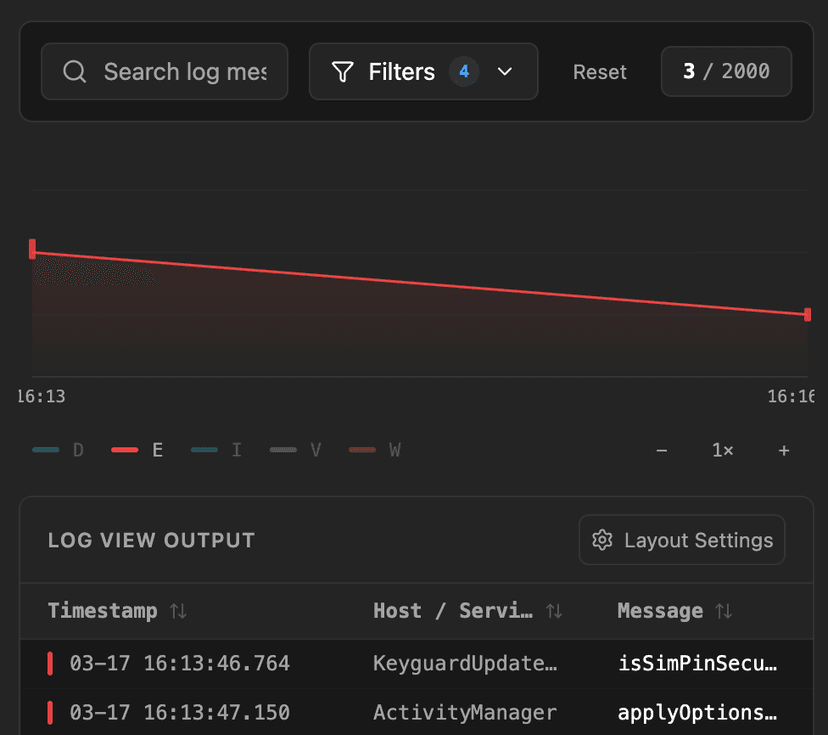
Under the hood, Logier automatically parses almost any log format, clusters duplicate errors, and detects anomalies without any setup. No schemas, no pipelines, no agents. Just drag and drop, or paste directly from the clipboard, and you’re already investigating.
That makes it useful in all the usual moments: debugging a local app, chasing down an API issue, or staring at a production log someone sent you five minutes before a deadline.
Built for developers#
Whether you're debugging a local application, an API, a service, or a production dump someone sent you five minutes before a deadline, Logier helps you get answers faster.
- —No agents.
- —No cloud setup.
- —No ingestion pipelines.
Just drag in a log file and start investigating.
What's next?#
This is only version 1.0.0. There are already plenty of ideas, improvements, and features planned for future releases.
For now, though, it's finally out there. Go break things. Then use Logier to see what broke.